How to Create an Affiliate Link That Converts: how to create affiliate link
Discover how to create affiliate link strategies that drive sales, with tips on Shopify, networks, and best practices for e-commerce success.
At its core, creating an affiliate link is about generating a special URL that tracks every click and sale back to a specific partner. This link has a unique ID embedded in it, which is the magic ingredient that ensures you get credit—and your commission—when a customer you referred makes a purchase.
Thankfully, you don't need to be a developer to make this happen. Most affiliate platforms, whether they're standalone networks or apps integrated into your e-commerce store, have made the process incredibly straightforward.
Understanding What Makes an Affiliate Link Work
Before jumping into the "how-to," it's worth taking a moment to understand what's actually going on inside that link. An affiliate link isn't just a simple web address; it's a sophisticated tracking tool built to connect a partner, a click, and a sale. It’s like a digital breadcrumb trail that proves where every referral came from.
This tracking is precisely what makes affiliate marketing such a potent, performance-based channel. When a potential buyer clicks on one of these links, a small file called a cookie gets stored on their browser. This cookie contains the affiliate’s unique ID and stays active for a set period—the "cookie window"—which can be anything from 24 hours to 90 days. If the customer buys something within that window, the cookie tells your system, "Hey, this sale belongs to that affiliate."
The Core Components of an Affiliate URL
Every affiliate link is constructed from a few key pieces that work together to make tracking possible. While the exact format might look a little different from one program to the next, the fundamental building blocks are almost always the same. Getting a handle on these parts demystifies the entire process.
This diagram shows you exactly how a basic URL gets supercharged with identifiers and tracking parameters to become a fully functional affiliate link.

As you can see, it all starts with a standard product URL. Once the affiliate ID and other parameters are tacked on, it transforms into a powerful tool for attributing sales.
Breaking Down the Link Structure
An affiliate link might look a bit intimidating at first glance, but it's really just a standard web address with some extra information bolted on. Let's pull it apart to see what each piece does.
To make this clearer, here’s a simple table breaking down the essential anatomy of an affiliate link.
| Component | Purpose | Example |
|---|---|---|
| Base URL | The destination webpage, like a product page or your homepage. | https://yourstore.com/products/bestseller |
| Affiliate ID | The unique identifier that credits the sale to a specific partner. | ?affid=123 |
| Tracking Parameters | Optional data, like UTMs or SubIDs, for deeper performance insights. | &utm_source=blog&subid=fallpromo |
These components work in concert to ensure every referral is tracked accurately, from the initial click all the way to the final conversion.
The most crucial part is, without a doubt, the Affiliate ID. It's the unique code that tells your system exactly who to pay. But the real optimization power comes from the Tracking Parameters. These are extra data snippets, like UTM codes or SubIDs, that give you a much clearer picture of what's working.
For instance, an affiliate could use a SubID to see if a link in their blog post performs better than one shared in an email newsletter. That kind of granular data is gold for refining their strategy.
Key Takeaway: The affiliate ID ensures partners get paid, but it's the extra tracking parameters like UTMs and SubIDs that turn a simple link into a powerful source of marketing intelligence.
Getting started often means picking a solid platform. For Shopify merchants looking to boost repeat sales, an app like Toki can integrate a referral program right into your store. The timing couldn't be better. Affiliate marketing is booming, with U.S. spending alone jumping from $9.56 billion in 2023 to a projected $11.99 billion in 2025. That's a nearly 12% increase, smashing the $10 billion mark for the first time. You can dig deeper into these affiliate marketing trends to see just how much of an impact this channel can have.
Generating Links Directly from Your Ecommerce Platform
Jumping straight into a massive, third-party affiliate network isn't always the right move, especially when you're just starting out. For many online stores, the simplest and most effective way to create affiliate links is by using the tools built right into your ecommerce platform or a specialized app. This approach keeps everything under one digital roof, which makes managing and tracking a whole lot easier.
If you’re running a store on a platform like Shopify, you're already in a great position. The Shopify App Store is loaded with powerful tools that can turn your store into a full-fledged affiliate marketing hub. The beauty of this is that you don't have to learn a new, complicated system; you can manage your partners and links from the same dashboard you use for everything else.
Leveraging Integrated Apps for Seamless Link Creation
The real game-changer here is integration. When your affiliate program is directly connected to your sales data, tracking becomes incredibly accurate and happens in near real-time. You sidestep the delays or weird discrepancies that can pop up when you're trying to sync data between separate platforms.
Getting started is often just a matter of a few clicks, not a complex technical setup. This is especially true with modern loyalty and referral apps that now bundle affiliate capabilities right into their feature set.
This screenshot gives you a peek at the kind of integrated affiliate tools available right inside the Shopify ecosystem. It’s all about making program management straightforward.
As you can see, the interface is designed for merchants, not developers. You can quickly set up campaigns, define commissions, and invite partners without ever having to leave your store's admin panel.
A Practical Walkthrough with Toki on Shopify
Let's walk through a real-world example. Say you're a Shopify merchant using an all-in-one platform like Toki to handle your customer loyalty and referrals. Creating an effective affiliate link is baked right into that workflow. The growth in this space is staggering; U.S. affiliate marketing spending shot up 49.8% from $9.1 billion in 2021 to an estimated $13.62 billion in 2024. This growth, with a CAGR of 14.42%, is blowing past the pace of general e-commerce growth. You can dive deeper into these numbers in The Performance Marketing Association's industry study.
So, how do you turn that opportunity into actual sales? Here’s what it looks like in practice:
-
Activate the Affiliate Module: First, you’d head to your Toki dashboard within Shopify and just flip the switch on the affiliate program feature. Instantly, your store is ready to track partner referrals.
-
Set Up Your Commission Structure: Next, you decide how you're going to reward your partners. You might set a standard commission, like 10% of every sale, or get creative with tiered commissions. For a big product launch, you could offer a juicy 15% for the first month to get your affiliates really excited.
-
Onboard Your Affiliates: Inviting partners is simple. Once they sign up through your portal, the system automatically generates their unique affiliate ID and gives them access to their own dashboard.
-
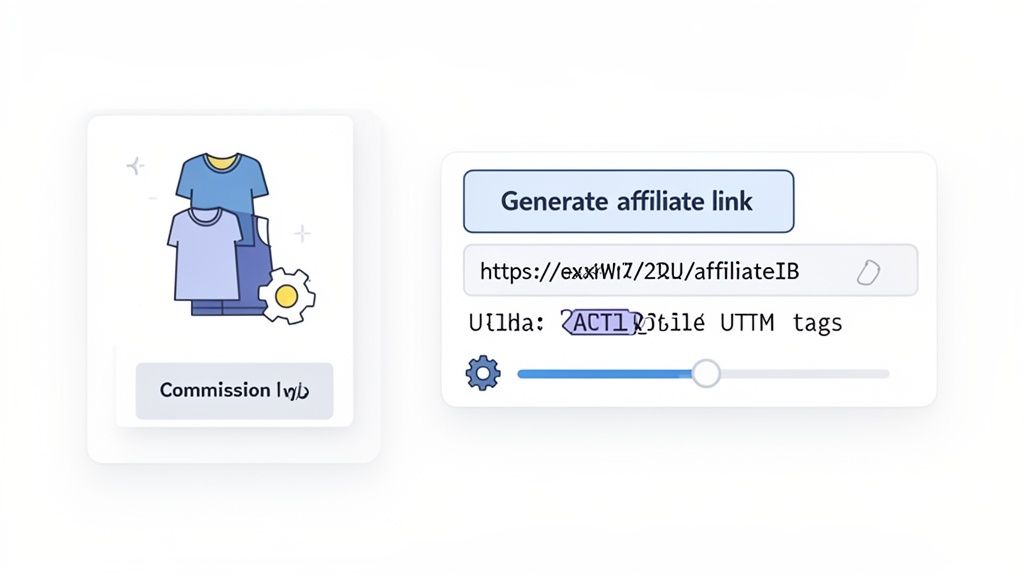
Generate the Affiliate Link: This is where the magic happens. Your affiliate doesn't have to build any links manually. They just log into their portal, find the product they want to promote, and the app generates a ready-to-share link with their unique tracking ID already embedded.
Pro Tip: Always encourage your affiliates to use deep links. Instead of sending traffic to your generic homepage, they should be linking directly to the specific product page they’re talking about. This tiny change makes a huge difference—it reduces friction for the customer and gets them that much closer to hitting the "add to cart" button.
Real-World Scenario: A Product Launch Campaign
Let's put this all together. Imagine you're launching a new line of eco-friendly skincare, and you want your top beauty bloggers to give it a massive push.
Using an integrated app, you can create a dedicated campaign just for this launch.
- Campaign: "Eco-Glow Skincare Launch"
- Commission: A special 20% rate on all products from the new collection for the first 30 days.
- Assets: You can upload custom banners, high-res product photos, and even swipe copy for social media directly into the affiliate portal.
Your affiliates can then log in, grab their unique tracking link for the "Eco-Glow" landing page, and find all the promotional materials they need in one spot. The whole process is self-contained and dead simple to manage. This level of organization is key. If you're building from the ground up, our guide on how to create an affiliate program covers these foundational steps in more detail.
This integrated approach takes what could be a messy, complicated task and turns it into a streamlined, scalable part of your marketing strategy.
Using Third-Party Affiliate Networks to Expand Your Reach
While running an affiliate program right from your e-commerce platform is incredibly convenient, there will likely come a point when you're ready to grow beyond your existing community. That’s where third-party affiliate networks come in.
Think of them as massive marketplaces connecting merchants like you with an army of professional bloggers, media publishers, and seasoned content creators who are actively looking for products to promote.
Partnering with established networks like ShareASale, CJ Affiliate (what used to be Commission Junction), or Rakuten Advertising can instantly put your brand in front of a much wider, more diverse audience. These platforms handle the heavy lifting—they’re the intermediary for everything from affiliate recruitment and link generation to tracking, reporting, and, most importantly, payments.
The biggest advantage here is reach. Instead of spending countless hours hunting down and vetting individual partners, you get immediate access to a pre-vetted pool of thousands of motivated affiliates. This saves a huge amount of time on the recruitment front, letting you focus on strategy.
Navigating the Network Workflow
Getting set up on a third-party network is a bit more formal than installing an app, but the process is generally pretty clear. You’ll start by applying to the network as a merchant. Once you’re approved, you'll build out a detailed profile for your program, laying out your commission structure, cookie duration, and the rules of engagement (your terms of service).
From there, you need to create your promotional assets. This is a crucial step that a surprising number of merchants rush through. Affiliates on these big networks expect ready-to-use materials. We're talking about:
- Text Links: Pre-written links that affiliates can just copy and paste. Something like, "Shop our new Spring Collection and get 15% off!"
- Banner Ads: A whole suite of professionally designed banners in standard sizes (like 728x90 or 300x250) that affiliates can easily drop onto their websites.
- Product Feeds: This is a data file with all your product info. It’s what allows affiliates to feature specific items dynamically on their sites.
Once your program is live, affiliates can browse the network, find your brand, and apply to join. You still get to control who you approve, which is key for making sure they’re a good fit for your brand's image. After an affiliate is in, they can log into their own dashboard and generate their unique tracking links for your store.
A word of advice from experience: Your success on a large network hinges on how attractive you make your program. A competitive commission rate, high-quality creative, and a clear brand message are non-negotiable if you want to stand out from the thousands of other merchants competing for the attention of top-tier affiliates.
Weighing the Pros and Cons
The choice between an in-platform app and a big network really comes down to a trade-off. While networks offer incredible scale, it doesn't come for free. Most have a setup fee, ongoing monthly fees, and they also take a cut of the commissions you pay out.
| Feature | In-Platform Apps (e.g., Toki) | Third-Party Networks |
|---|---|---|
| Affiliate Pool | Your own community, customers, and direct outreach. | Vast, pre-existing network of professional marketers. |
| Cost Structure | Typically a flat monthly SaaS fee. | Setup fees, monthly minimums, and commission overrides. |
| Management | Centralized in your e-commerce dashboard. | Separate platform with its own interface and tools. |
| Best For | Merchants starting out or focusing on brand advocacy. | Brands looking to rapidly scale their reach and sales volume. |
For a lot of growing businesses, the best strategy is actually a hybrid approach. You can use an integrated tool to nurture your brand advocates and customer referrals while also tapping into a larger network to drive serious volume from professional publishers.
For individual creators, it's also worth noting that your income doesn't have to stop at affiliate links. Understanding the art of securing brand deals can open up another huge revenue stream and create much deeper, more integrated brand partnerships.
Ultimately, getting a handle on affiliate link creation lets e-commerce merchants tap into a booming industry valued at $18.5 billion globally in 2024. Data shows that in the U.S. alone, affiliate programs are projected to drive 15-20% of sales for the companies that use them, generating $113 billion in e-commerce revenue this year. Choosing the right platform is your first step toward claiming a piece of that growth.
Fine-Tuning Your Affiliate Links to Drive Real Results
Getting your affiliate link created is just the first step. The real money in affiliate marketing is made in how you manage, track, and protect those links long-term. A smart affiliate link isn't just a URL—it's a branded, trustworthy asset that works for you and your partners around the clock.
Just dropping a raw, clunky affiliate link into a blog post or social media caption won't cut it. Let's be honest, they often look spammy and can scare potential customers away from clicking. Even worse, those raw links are a prime target for commission theft. This is why getting serious about link management is non-negotiable for a healthy and profitable program.
Why You Need to Start Cloaking Your Affiliate Links
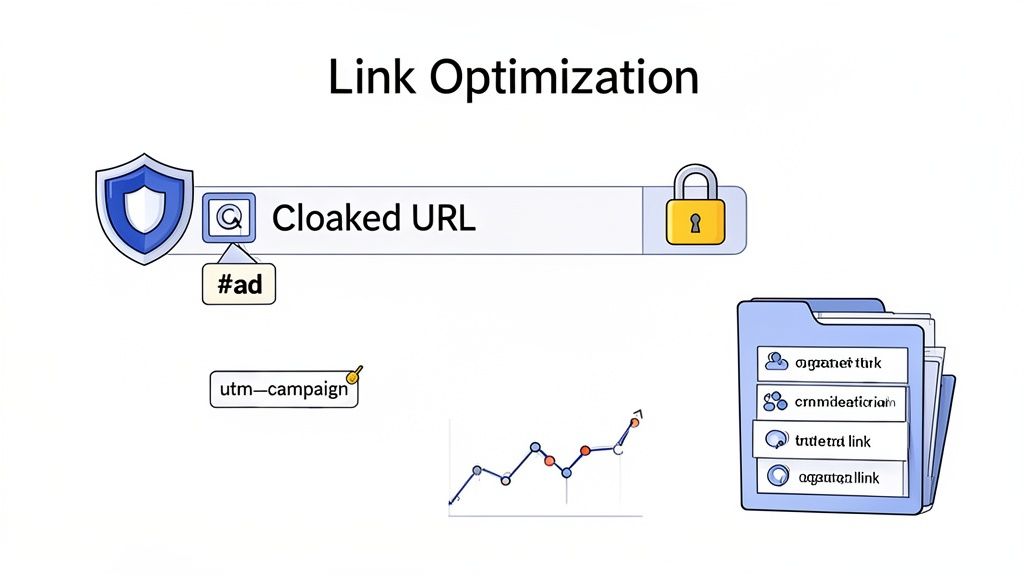
One of the best things you can do for your program is link cloaking. It’s simply the process of taking a long, messy affiliate URL and turning it into something clean, short, and professional.
Instead of a user seeing this:
https://yourstore.com/products/product-a?affiliate_id=123&campaign=xyz
They see this:
https://yourbrand.com/recommends/product-a
The difference is night and day, and the benefits are huge:
- Boosts Trust and Clicks: A clean, branded link just looks more credible. It hides all the confusing tracking parameters that make people think twice before clicking.
- Protects Against Commission Theft: Bad actors can sometimes try to swap an affiliate's ID with their own to steal commissions. Cloaking makes it much harder for them to mess with the link's structure.
- Makes Management a Breeze: Imagine a product URL changes. Instead of manually updating it in dozens of places, you just change the destination URL once in your cloaking tool. Done.
Tools like Pretty Links or ThirstyAffiliates (for WordPress users) make this incredibly easy. They give you a central dashboard to organize links, see what's getting clicked, and manage everything in one spot.
Staying on the Right Side of the Law with Disclosures
Beyond the technical stuff, you and your affiliates have to play by the rules. We're talking about legal and ethical guidelines, and transparency isn't just a nice-to-have—it's the law.
The Federal Trade Commission (FTC) is very clear that affiliates must disclose their financial relationship with a brand. This means your partners have to tell their audience they might earn a commission if someone buys something through their links.
Key Takeaway: Ignoring disclosure rules can lead to serious fines and, just as bad, a total loss of trust with your audience. In this business, honesty is everything.
Effective disclosures are simple and clear:
- A straightforward statement at the top of a blog post works wonders. (e.g., "This post contains affiliate links. If you make a purchase, I may earn a small commission.")
- On social media, clear hashtags like #ad, #sponsored, or #affiliate are the standard.
As the merchant, it’s on you to teach your affiliates about these rules. Give them clear guidelines and even some sample text to use. It keeps your program compliant and builds a reputation for integrity.
Organizing Links for Smarter Tracking
As your affiliate program takes off, you'll suddenly have hundreds of links out in the wild for different products, campaigns, and partners. Without a system, figuring out what's actually driving sales is impossible. This is where SubIDs become your best friend.
Think about an affiliate promoting your products on their blog, in their newsletter, and on TikTok. By adding a unique SubID to each link, they can pinpoint exactly where the sales are coming from.
- Blog Link:
...&affid=123&subid=blog - Email Link:
...&affid=123&subid=email - TikTok Link:
...&affid=123&subid=tiktok
This kind of granular data is pure gold. It shows you and your affiliates what's working so you can double down on those channels and stop wasting time on the ones that aren't. This level of detail is the foundation of a high-performing affiliate marketing sales funnel.
Of course, once your links are created and optimized, the next step is getting them in front of the right people. Learning the right strategies for promoting affiliate links is what turns all this setup into actual revenue.
How to Test and Troubleshoot Your Affiliate Links
You’ve gone through all the work to create an affiliate link, but here’s a hard truth I’ve learned over the years: a link that doesn’t track is completely worthless. A single broken link can mean a lost sale, a frustrated partner, and a serious dent in your program’s credibility.
That's why a simple but thorough testing process isn't just a "nice-to-have"—it's a non-negotiable step before you ever send a link out the door. Taking a few minutes to check your work can save you from a world of headaches later on.
Performing a Quick Click and Conversion Test
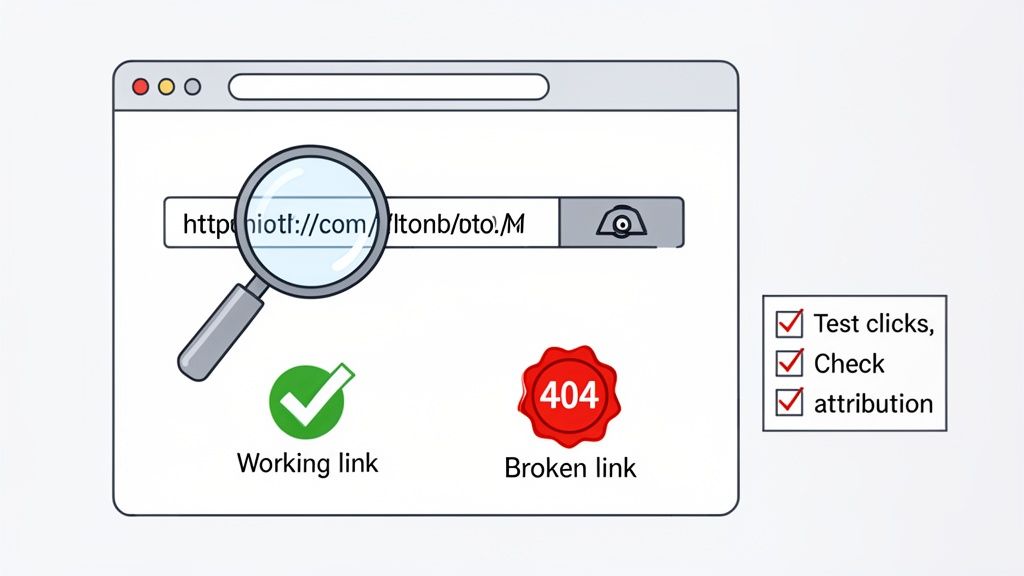
Your goal here is to walk in a customer's shoes from click to checkout. You need to confirm that the link not only goes to the right page but also that your system correctly attributes the click—and the sale—to the right affiliate.
Here’s my go-to method for testing any new affiliate link:
- Start in an Incognito Window. Always. Use a private browsing window (Incognito in Chrome, Private in Safari) for every single test. This ensures your own browser history and cookies don't mess with the affiliate tracking cookie.
- Click the Affiliate Link. Copy the full affiliate link and paste it into the incognito browser’s address bar. Hit Enter.
- Check the Landing Page. First things first, does it land on the correct page? If you created a deep link for a specific product, it shouldn't be dumping visitors on your homepage.
- Look at Your Analytics. Hop over to your affiliate dashboard. In the real-time reporting, you should see one new click show up for the affiliate ID you're testing. If you don't see it immediately, give it a minute and refresh.
- Simulate a Purchase. This is the moment of truth. Go through the entire checkout flow and make a small test purchase. This is the only way to be 100% sure the conversion tracking is working. I usually create a $1 test product or use a 100% discount code to avoid any real charges.
- Confirm the Commission. Once the purchase is complete, head back to your dashboard. You should see a new conversion and the corresponding commission logged under the correct affiliate's account. If it's there, you’re good to go!
Diagnosing and Fixing Common Link Problems
Even when you’re careful, things break. Tracking issues usually boil down to a handful of common culprits, from simple typos to tricky browser settings. Knowing what to look for can turn a frustrating problem into a quick fix.
If you’re just starting to build your program, our complete guide to referral program tracking is a great resource for setting up a bulletproof system from the ground up.
Pro Tip: When an affiliate reports a tracking issue, my first question is always, "Can you please send me the exact link you're using?" Nine times out of ten, the problem is a small copy-paste error or a link shortener that accidentally stripped out the tracking parameters.
Affiliate Link Troubleshooting Checklist
When tracking goes haywire, it's easy to get overwhelmed. I put together this quick-reference table to help diagnose the most common symptoms and find the right fix without pulling your hair out.
| Symptom | Potential Cause | How to Fix |
|---|---|---|
| Link goes to a 404 error page. | The base URL is wrong, or the linked product was removed. | Double-check the destination URL in the link. If it’s a deep link, make sure the product is still active and in stock. |
| Clicks are tracking, but sales are not. | The conversion tracking pixel isn't on the "thank you" page. | This is a classic setup mistake. Verify your tracking code is correctly installed on the post-purchase confirmation page. |
| No clicks are tracking at all. | The affiliate ID is missing or incorrect in the URL. | Inspect the link structure. Make sure the affiliate's unique identifier (e.g., ?affid=123) is present and formatted correctly. |
| Reports show tracking discrepancies. | Ad blockers or privacy-focused browsers are blocking cookies. | This is an industry-wide challenge. Server-to-server tracking is a more robust solution, but it's also wise to educate affiliates on this reality. |
This checklist covers the vast majority of issues you'll encounter. By systematically checking these points, you can solve most problems in just a few minutes.
Got Questions About Affiliate Links? We've Got Answers.
As you get deeper into affiliate marketing, a few key questions almost always pop up. Whether you're just figuring out how to build your first affiliate links or you're trying to fine-tune a program that's been running for years, getting the fundamentals right is key.
Let's clear up some of the most common queries we hear from merchants.
How Long Does an Affiliate Link Cookie Last?
The life of an affiliate tracking cookie—often called the "cookie window" or "cookie life"—isn't set in stone. It really depends on the rules you establish for your program or the standards of the affiliate network you're using.
You'll often see a 30-day window, which has become a common starting point. But the range is huge. Some programs, like Amazon Associates, have windows as short as 24 hours. For high-end products with a longer consideration phase, you might see cookie windows of 90 days or even more.
Why does this matter so much? This timeframe determines how long an affiliate has to get credit for a sale after someone clicks their link. With a 30-day window, if a shopper clicks on day one and finally buys on day 29, the affiliate still earns their commission. When you set up your program on Shopify using an app like Toki, you can usually set this duration yourself to match what makes sense for your products and customers.
Can I Create a Custom or Branded Affiliate Link?
Yes, and you absolutely should. A standard affiliate link can be long, ugly, and packed with a confusing string of characters that can make potential customers a little wary.
This is where creating a custom, branded link—a practice known as link cloaking or creating a vanity URL—comes in. It transforms a messy link like yourstore.com/products/item?affid=123xyz into something clean and professional, like yourstore.com/go/partnername.
Doing this pays off in a few big ways:
- It builds trust. A branded link looks official and feels safer to click, which can have a real impact on your click-through rates.
- It reinforces your brand. Every shared link keeps your store's name visible and consistent.
- It's just plain easier. Short, memorable links are much simpler for your affiliates to share on social media, in podcasts, or even just mention in conversation.
Many affiliate management tools have this functionality built-in, and you can also find popular WordPress plugins like Pretty Links designed specifically for this.
What Is the Difference Between an Affiliate Link and a Referral Link?
People often use these terms as if they mean the same thing, but there's a subtle yet important difference.
An affiliate link is the tool of a formal affiliate marketing program. The users are typically professional marketers, bloggers, or content creators who are in it to earn a cash commission for driving sales. It's a performance-based business relationship.
A referral link, on the other hand, is usually part of a customer-to-customer advocacy program. An existing customer shares a unique link with their friends and family. Instead of cash, the reward is often store credit, a discount, or some other perk that encourages them to keep spreading the word.
The real distinction comes down to the person sharing the link and what motivates them. Affiliate programs are for professional partners driven by cash commissions. Referral programs are for loyal customers driven by their love for the brand and in-store rewards.
Platforms like Toki are designed to manage both, so you can build a full marketing ecosystem that includes professional affiliates and your most enthusiastic customers.
Do I Need to Disclose Affiliate Links?
Yes, 100%. This is non-negotiable. In the United States, the Federal Trade Commission (FTC) has very clear guidelines that legally require anyone using an affiliate link to disclose that relationship. Similar consumer protection laws exist all over the world.
This means your partners have to be upfront with their audience, letting them know they might earn a commission if someone makes a purchase through their link. Transparency is everything for maintaining the trust and credibility they've worked so hard to build.
Some common ways to handle disclosure include:
- Placing a clear statement at the top of a blog post.
- Using hashtags like #ad or #sponsored in social media posts.
Ready to turn your best customers into your most powerful advocates? Toki makes it simple to launch and run sophisticated affiliate and referral programs right from your Shopify store. Stop leaving money on the table and start building a community that drives real, sustainable growth. Launch your program with Toki today.